Thinking about adding smart tech before listing your Alpharetta home? With so many gadgets on the market, it can be hard to know what actually matters to buyers. You want upgrades that stand out in photos, shine during showings, and help your bottom line. In this guide, you’ll see which smart features Alpharetta buyers ask for most, typical costs, and how they affect resale, plus a simple plan to prioritize your projects. Let’s dive in.
Why smart features matter in Alpharetta
Alpharetta and North Fulton attract many technology professionals, higher-earning households, and commuters who value convenience and energy savings. Features like smart security, strong Wi‑Fi, smart thermostats, and EV readiness fit how many locals live and work.
For resale, buyers tend to prefer upgrades they can see and try during a showing. Think smart doorbells, smart locks, thermostats, and reliable whole‑home Wi‑Fi. Complex, proprietary automation systems can be impressive, but they often bring higher maintenance and mixed resale value unless you are targeting a very tech‑focused luxury segment.
Top smart features buyers want
Security devices
- What it is: Video doorbells, exterior cameras, and smart locks. Optional: a monitored security system.
- Why buyers like it: Visible deterrence, remote access, and easy peace of mind.
- Typical cost:
- Video doorbell: $100–$300 for hardware. Some services add $3–$12/month for recording storage.
- Smart locks: $100–$300 each.
- DIY alarm kits: $150–$600. Professional installs: $300–$1,500+, plus $10–$50/month if monitored.
- Resale notes: Positive impact because it is easy to demo and requires little buyer commitment. Provide clear transfer instructions.
- Local tips: Check HOA rules for exterior cameras and door hardware. Disclose any subscriptions. Factory‑reset devices before closing for privacy.
Smart thermostats and energy control
- What it is: Learning or programmable thermostats, smart zoning, and HVAC integrations.
- Why buyers like it: Comfort and savings, especially during hot Georgia summers.
- Typical cost:
- Thermostat device: $100–$300. Professional install if needed: $75–$300.
- Zoning or complex integrations: $1,000–$5,000+.
- Energy impact: Typical heating and cooling reductions are in the single‑digit to low‑teen percent range compared with non‑programmable setups. Actual savings vary by usage and system.
- Resale notes: Strong listing value. If possible, show a simple before‑and‑after utility comparison.
- Local tips: Confirm HVAC compatibility and whether you need a C‑wire or adapter.
EV readiness and Level‑2 charging
- What it is: A 240V garage outlet, conduit and circuit prep, or a permanently installed Level‑2 charger.
- Why buyers like it: Many Alpharetta commuters own or plan to own EVs. Being “EV‑ready” saves time and hassle after move‑in.
- Typical cost:
- 240V outlet (simple run): $300–$1,000.
- Level‑2 charger with install: $800–$3,000+.
- Panel upgrades (if needed): $1,000–$4,000+.
- Resale notes: Increasingly positive, especially in neighborhoods where EV ownership is visible. Keep permits, load calculations, and warranties on file.
- Local tips: Electrical permits are generally required in Alpharetta or Fulton County for new 240V circuits and panel upgrades. Check HOA rules for visibility and placement.
Home network infrastructure
- What it is: A reliable mesh Wi‑Fi system, targeted Ethernet drops, and structured wiring for media or home office use.
- Why buyers like it: Remote work and multiple streaming devices are common. Dead zones during showings are a turn‑off.
- Typical cost:
- Mesh Wi‑Fi (self‑install): $150–$600.
- Professional Wi‑Fi survey/tuning: $300–$1,000.
- Single Cat6 drop: $150–$350 per drop.
- Whole‑home structured wiring: $1,500–$6,000+.
- Resale notes: Often expected rather than optional in many North Fulton neighborhoods.
- Local tips: If you highlight a home office, note internet speeds from a recent test and any wired drops.
Lighting and convenience
- What it is: Smart bulbs, smart switches and dimmers, exterior automation, and voice assistant hubs.
- Why buyers like it: Great for staging, security lighting, and an overall modern feel.
- Typical cost:
- Smart bulbs: $10–$60 each.
- Smart switches: $40–$150 each, plus $75–$200 for install.
- Resale notes: Good value for the cost. Hardwired switches are usually better than bulbs for long‑term usability.
- Local tips: Label switches and provide a short quick‑start guide.
Whole‑home automation and specialty systems
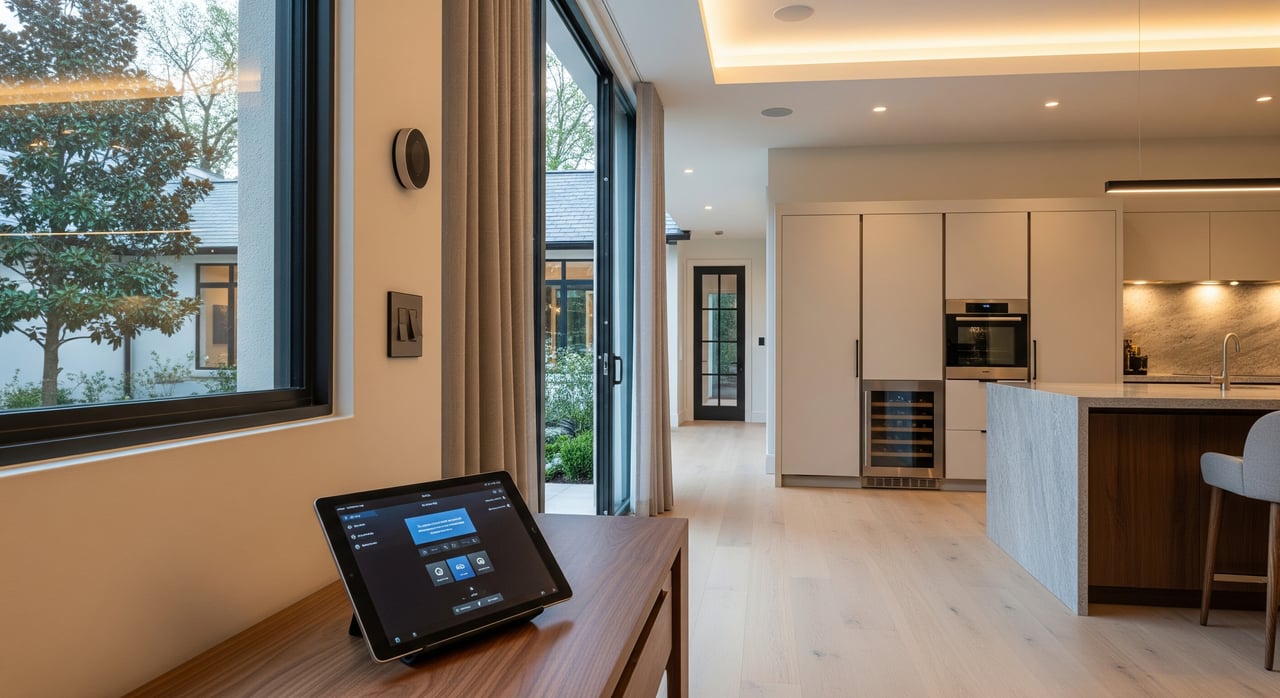
- What it is: Centralized control panels, motorized shades, integrated AV, and custom automation.
- Why buyers like it: High appeal in luxury segments.
- Typical cost: $5,000–$50,000+ depending on scope.
- Resale notes: Variable. Can be a plus in higher‑end listings, but maintenance and compatibility concerns can limit broader appeal.
- Local tips: If installed, include documentation, schematics, vendor contacts, and transfer instructions.
Permits, privacy, and HOA checks
- Permits and contractors: Electrical work for EV chargers, 240V outlets, and panel upgrades almost always requires a permit and inspection in Alpharetta or Fulton County. Get 2–3 bids and use licensed, insured contractors. For larger network or automation jobs, select licensed low‑voltage pros who provide as‑built diagrams and warranties.
- HOA and covenants: Confirm rules for exterior cameras, visible cabling, and charger placement. Many communities allow chargers but set aesthetic standards.
- Data privacy when selling: Disable or mute voice assistants before showings. Remove personal profiles and photos from smart displays. Before closing, factory‑reset devices you are taking and remove accounts from any equipment you are leaving. Disclose any subscriptions and whether they transfer.
- Utilities and incentives: Check available programs with your utility and incentive databases. Ask about EV rates, rebates, or time‑of‑use options. For tax‑related incentives, consult current federal guidance or a tax professional.
Simple staging and listing tips
- Show it in action: During showings, demo the thermostat’s schedule, display a doorbell snapshot, or walk through Wi‑Fi coverage.
- Create a one‑page Smart Home Guide: List each device, note what stays, include transfer steps, and attach any warranties or permit records.
- Optimize for evening tours: Use exterior smart lighting and interior scenes to boost curb appeal and warmth.
What to spotlight in your listing
- MLS highlights: Features that are transferable, subscription‑free or clearly explained, and demonstrable during a showing. Examples include a smart thermostat, video doorbell, EV‑ready garage details, and strong Wi‑Fi.
- Disclosures: Note remaining warranties, any subscriptions, and required accounts. Clarify which devices convey and which do not.
- Open house education: Provide quick demo steps, a short note on energy savings from thermostat logs, and whether the EV charger was installed with permits and inspection.
A smart‑upgrade priority plan
Use this simple framework to avoid over‑spending while maximizing buyer appeal.
How to evaluate features
- Buyer demand in your neighborhood.
- Cost and install complexity.
- Visibility in photos and showings.
- Ongoing maintenance or subscriptions.
- How your home compares with nearby listings.
Tier A: High ROI, high visibility
- Smart thermostat with clear comfort and savings benefits.
- Video doorbell that you can easily demo.
- Smart lock on the main entry.
- Mesh Wi‑Fi or targeted Ethernet drops to key rooms.
Tier B: Useful, moderate cost
- EV readiness: conduit and wiring or a 240V garage outlet; a full Level‑2 charger if it matches neighborhood norms.
- Exterior smart lighting and motion security lighting.
- Professionally installed security system where common.
Tier C: Selective or premium
- Structured whole‑home Ethernet or full automation systems in higher‑end or luxury listings.
- Motorized shades, integrated AV racks, centralized control. Reserve for homes and buyers that expect them.
Quick decision workflow
- Review nearby active and recent sales for smart features.
- If many comps have EV chargers or similar tech, plan to match rather than overbuild.
- Start with Tier A items first since they are easy and impactful.
- Add Tier B items selectively. When costs are high, consider advertising “EV‑ready” if you run wiring without installing a charger.
- Save Tier C for major renovations or luxury‑level marketing.
Ready to plan your upgrade?
Smart features do not have to be expensive to make a difference. By focusing on visible, transferable, and low‑maintenance upgrades, you can help your Alpharetta listing stand out and support a stronger sale price. If you want a tailored plan for your property and neighborhood, reach out to Leeza Byers for local guidance grounded in pricing expertise and practical, high‑ROI recommendations. Get Your Instant Home Valuation.
FAQs
Which smart features best boost resale in Alpharetta?
- Smart thermostats, video doorbells, smart locks, and strong Wi‑Fi deliver the most reliable impact due to high visibility, ease of use, and broad buyer demand.
How much does a Level‑2 EV charger cost to add?
- A typical charger plus installation runs about $800–$3,000+, with panel upgrades adding $1,000–$4,000+ if needed; simple 240V outlets can be $300–$1,000.
Do I need a permit for a 240V outlet in my garage?
- Yes, electrical permits and inspections are generally required in Alpharetta or Fulton County for new 240V circuits and panel upgrades; confirm with local permitting.
Should I leave my smart devices when I sell?
- Leave clearly transferable, easy‑to‑use items that add value, and disclose them in the listing; factory‑reset or remove accounts before closing and provide instructions.
Are whole‑home automation systems worth it for mid‑market homes?
- Usually only if your target buyer pool is tech‑focused or luxury; otherwise, these systems can have higher costs and mixed resale impact compared with simpler upgrades.